
MCeViewer+3.1.4 - Google Play
You'll be able to see results in few seconds.
Publisher Description
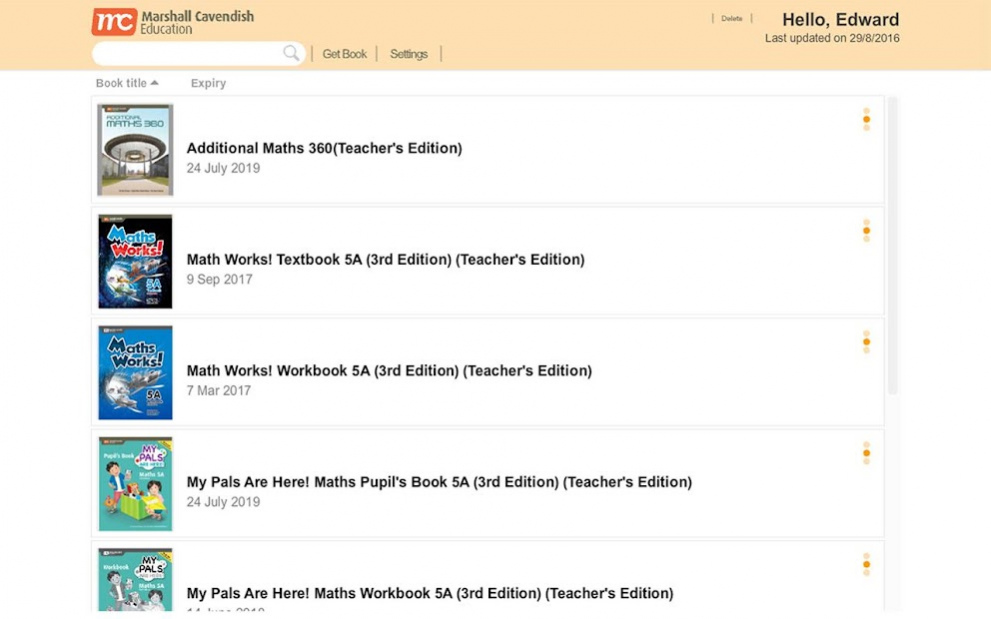


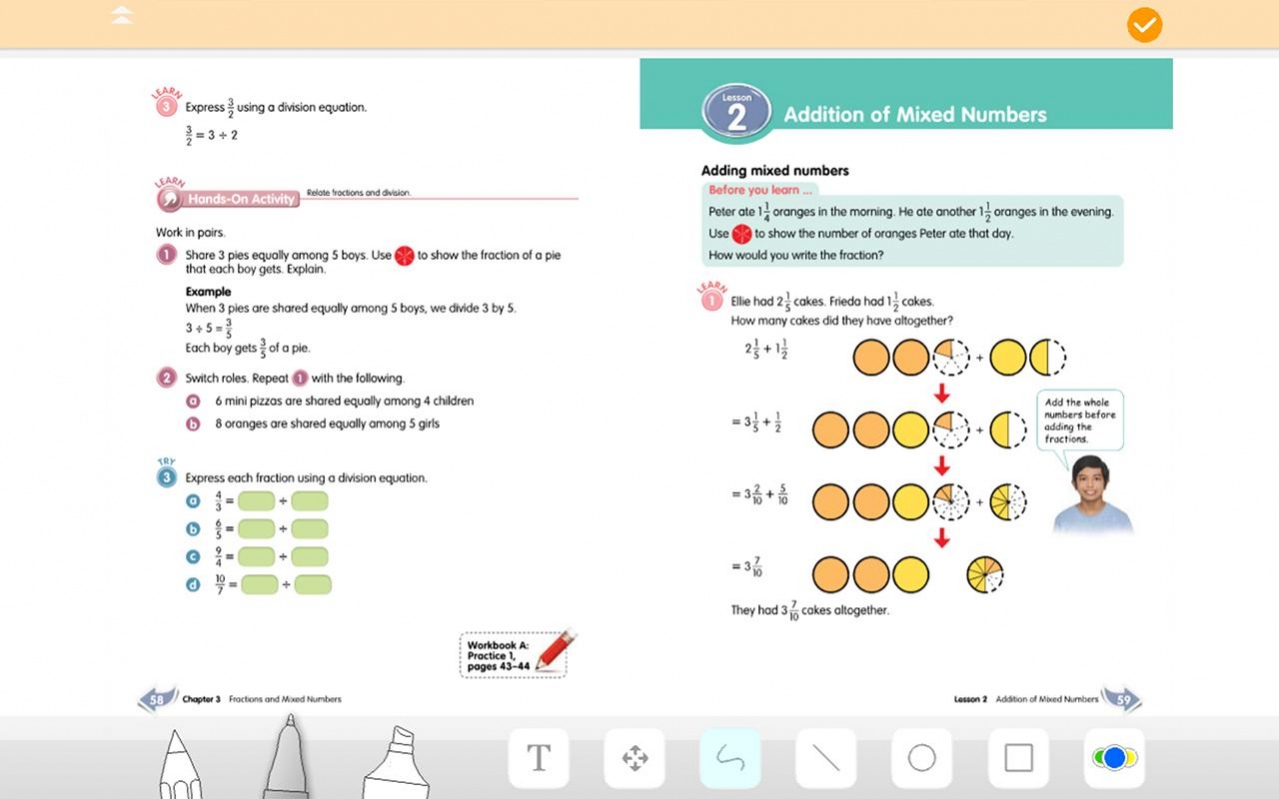
The MC eBook allows learning and research to take place anytime, anywhere!
Looking for something to expose your child to a world of new possibilities and learning excitement? Or interesting ideas to aid you in explaining schoolwork to your children? The MC eBook is the solution!
Features:
-Interactive digital elements such as games and activities
-Engaging videos and simulations to enrich learning
-Tools for self-assessment
-Bookmark important pages for easy reference
-Customisable by adding your own resources
-Draw and scribble on the page with virtual colour pencils and more!
With these features, students will be able to learn independently. They will be able to identify their own learning needs, utilise the appropriate learning resources and strategies as well as evaluate their own learning progress.
Developed based on the latest syllabus from the Ministry of Education, Singapore, the MC eBook is available for:
-My Pals are Here! Maths (3rd Edition)
-Shaping Maths (3rd Edition)
-My Pals are Here! Science (3rd Edition)
-Maths 360
-Additional Maths 360
-Lower Secondary Science Matters (2nd Edition)
-Physics Matters (4th Edition)/ Chemistry Matters (2nd Edition)/ Biology Matters (2nd Edition)
-Discover Physics (4th Edition)/ Discover Chemistry (2nd Edition) / Discover Biology – GCE ‘O’ Level
-Discover Physics (4th Edition)/ Discover Chemistry/ Discover Biology – Normal (Academic)
Visit us at:
www.marshallcavendish.com/education
Like us on FACEBOOK:
www.facebook.com/mceducation
About MCeViewer+
The company that develops MCeViewer+ is Marshall Cavendish Education Pte Ltd. The latest version released by its developer is 3.1.4.
To install MCeViewer+ on your Android device, just click the green Continue To App button above to start the installation process. The app is listed on our website since 2018-06-04 and was downloaded 0 times. We have already checked if the download link is safe, however for your own protection we recommend that you scan the downloaded app with your antivirus. Your antivirus may detect the MCeViewer+ as malware as malware if the download link to air.com.mconline.sg.mceviewer is broken.
How to install MCeViewer+ on your Android device:
- Click on the Continue To App button on our website. This will redirect you to Google Play.
- Once the MCeViewer+ is shown in the Google Play listing of your Android device, you can start its download and installation. Tap on the Install button located below the search bar and to the right of the app icon.
- A pop-up window with the permissions required by MCeViewer+ will be shown. Click on Accept to continue the process.
- MCeViewer+ will be downloaded onto your device, displaying a progress. Once the download completes, the installation will start and you'll get a notification after the installation is finished.
Program Details
System requirements
Download information
Pricing
Version History
version 3.1.4
posted on 2018-06-04
- To improve the quality of the connection to the server.
- To enable Chinese text to be displayed.
version 3.1.4
posted on 2018-06-04
- To improve the quality of the connection to the server.
- To enable Chinese text to be displayed.
version 3.1.2
posted on 2017-11-29
Performance and stability improvements
version 2.0.4
posted on 2015-12-06
- Bug Fixes.
Disclaimer
Official Google Play Link
We do not host MCeViewer+ on our servers. We did not scan it for viruses, adware, spyware or other type of malware. This app is hosted by Google and passed their terms and conditions to be listed there. We recommend caution when installing it.
The Google Play link for MCeViewer+ is provided to you by apps112.com without any warranties, representations or guarantees of any kind, so access it at your own risk.
If you have questions regarding this particular app contact the publisher directly. For questions about the functionalities of apps112.com contact us.
